Sunday, June 2, 2024
STEM Lab 23_24 Round 7 - Wind Whipped Edition
Tuesday, April 23, 2024
STEM Lab 23_24 Round 6
Tuesday, December 20, 2022
STEM Lab Round 3
It has been another great rotation in the STEM Lab! We have done a lot of programming, some building, and also gotten into some physical computing. Read a bit about what each grade level has been up to the last few weeks.
Kindergarten & 1st Grade
You may recall that Kindergarten and first grade started the year working on computer science and programming courses in Code.org. These puzzle based lessons are great for teaching concepts and helping students practice skills, but there is not much scope for student creativity. That is where Scratch Jr comes in.
Scratch Jr is new to most of the Kindergarten students so we start with a refresher on what it looks like to write a program in Code.org (which they used at the start of the year) and compare that to the Scratch Jr environment. Each day I show them what they will be programming and talk about the command blocks they will be using. Then the students go to their seats and we code together. They are allowed to choose their own characters and backgrounds, but they copy my code at this point. When we finish coding together the students have what we call "creative time" when they are allowed to change their program and project by adding or deleting characters, choosing new backgrounds, and writing new code.
The first graders who attended Sinclair last year are familiar with Scratch Jr, though there are always a few new faces, so we start with just a brief review the programming environment. The daily lesson outline is fairly similar however. I talk them through the day's program as I show how it is built. That is followed by the code-a-long and then creative time. In first grade I teach the students how to change scenes and use the message events to coordinate the actions of the characters so that they do not all run their code at the same time.
Throughout this round I was quite impressed with the creative projects the students in both Kindergarten and 1st grade created. They did a wonderful job of creating personally meaningful scenes and stories while quickly grasping the programming concepts necessary.
2nd Grade
The work Kindergarten and 1st grade did in Scratch Jr lays the groundwork for the digital diorama project 2nd grade completed in round 3. On their previous rotation through the STEM Lab, 2nd grade conducted research into an animal and took notes about it in their journals. The next step had them use those notes and the Nat Geo Kids website to guide them as they drew pictures of their animals and their animals' habitats. We talked about the elements of scientific drawings (big, colorful, and accurate) as well as being comfortable with one's best effort (it doesn't have to look like a photograph). These elements were photographed into a Scratch Jr project, the habitat as a background and the animals as characters, to create the dioirama. Students then programmed their characters to move around and to talk sharing facts about the chosen animal.
I do some variation of this project most years. It serves as the first STEM lab project students complete that involves research along with both digital and physical elements. Most of the projects students work on in 3rd through 5th grades are patterned on those pieces, so I like to get the 2nd graders ready with projects like this one.
3rd Grade
This round 3rd grade embarked on the first of a 2 part project. Part one has the students creating a Scratch project that teaches the user about a topic. The project must use key presses to activate the various parts of the program because in part 2 they will design and build an intereactive poster that will connect to the Scratch project using the Makey Makey. I presented them with a list of topics from the 3rd grade science curriculum. Students chose either to work alone or with a partner and then used resources like Brain Pop and Britannica to research the topic selected from the list. Once their notes were complete I showed the students how to plan their projects. The basic formula is key press plus picture plus facts. That is, each key press should display a picture related to the topic and share facts relevant to the image. I had the students begin working on their projects before teaching them how to find and add pictures.
The studio of projects can be found here. (Disruptions caused by baseball, boil water notices, and fundraiser rewards mean that some of the projects are more of a work in progress than others.)
4th Grade
The Micro:bit has been an important piece of technology in the STEM Lab for some time. Fourth grade returned to this small but mighty microcontroller for round 3. Last year when they were introduced to the Micro:bit, students worked on making use of the basic inputs and outputs of the device and on becoming comfortable with the block-based programming environment MakeCode. MakeCode feels familiar because it akin to Scratch. However, the structures are different and can take some getting used to. We started the unit with a review session meant to refresh the memories of the students who used Micro:bit last year and to initiate those students new to Sinclair this year. Over course of the week students learned to used the Micro:bit's input/output pins to light LEDs. They used the environmental sensors (light level, temperature, sound level) and conditional statements to generate outputs that vary depending on the sensor input. The accelerometer (tilt sensor) was used to sound different notes based on different tilt gestures. The challenge was then to use the Micro:bit to play Twinkle, Twinkle Little Star.
5th Grade
Fifth grade completed and presented their mini museum projects this rotation. In the prior round they used Scratch to build and program a digital museum room, complete with virtual docent to narrate, about a self selected and research topic. This time out they built a physical version of their room and the objects within. They used copper foil tape to built a circuit on the room's door which was connected to their Scratch projects with a Makey Makey. Openning the door to the physical room closed the circuit and triggered the virtual narrator to begin describing the objects in the room. Most classes got the opportunity to present their projects to visiting 2nd grade classes and administrators. The Echo magnet group also had the opportunity to share their work with Houston ISD Chief Academic Officer Dr. Bird and members of the Instructional Technology Department.
The Mini Museum Room Scratch projects can be found in this studio and a sample video of presentation day is below.
Sunday, February 28, 2021
What We Have Been Up To In the STEM Lab
What a year it has been thus far in the STEM Lab. Despite my best intentions to keep up with this blog, the fast pace brought on by 1 week rotations (rather than 2 week), and the challenges of teaching both in person and virtual students simultaneously, defeated me.
We have been busy as usual in the lab (which is to say on a cart that I have been pushing around the school since October). Here's the short version of what has been going on with the STEM Lab.
Computer programming
As always, developing computer programming skills is an important element of our practice. Coding helps build critical problem solving and algorithmic thinking strategies. My approach in the lab places equal emphasis on instilling a sense of creative confidence in the students. I want them to thinking of programming not as an activity, but as a tool they can employ to share their learning and express their ideas.Kindergarten, first, and second grades have been using Code.org and Scrach Jr while the third through fifth graders have been using Scratch.
Math Stories and Math Art Challenges
Kindergarten and first grade recently finished up an unit on math stories. Each day we read a book that combined literature and a math concept. Following the book students completed a an activity related to the book's theme.
Earlier in the year, all of the students in Kindergarten through fifth grade enjoyed a unit of math art challenges. This unit was a playful exploration of the connections between mathematics and art. We looked at elements of geometry and probability along with patterns. Most of the math art challenges were adapted from a project maintained by Annie Perkins on her website: #MathArtChallenge. Many of these are geared towards middle and high school math students, but there are several that work for elementary students.Skype-a-Scientist and Research Projects
One of my favorite additions to the STEM lab over the last couple of years is Skype-a-Scientist. This organization matches K-12 educators with scientists working in a variety of fields. This gives students the opportunity to have a conversation with (as many say) "a real live scientist". They learn about the diversity of careers paths in the sciences and see that science is open to people of all backgrounds. Over the years we have spoken with ecologists, biologists, paleontologists, speleologists, and more. We have met people from the USA, UK, Sweden, Germany, Portugal, and Brazil.
I incorporate Skype-a-Scientist meetings as part of projects that have students researching and sharing their learning. This year so far all of second (learning about food webs) and third grade (coral reef ecology) have had scientist meetings. By the time spring break gets hear, fifth grade (cartography) will be part of that list as well. Going forward, fourth and first will have their turns.Building
One activity that has fallen by the wayside during the pandemic is physical building and making. The projects cannot involve materials that are not common household items and for the in person students, they have to be simple enough that students can complete them independently. Then there was the issue of being on a cart and necessity that the materials be easy to move between classes.
Second grade is currently completing a project in which they are building 3D models of animals by combining 2D slotted cardboard pieces. The last day of the project has them mix up their pieces to create fantasy animals that they name and describe for science.
This has certainly been the strangest of school years. I am excited nonetheless about the projects I have planned for the rest of the year. Check back soon to see what we work on next.
Monday, September 28, 2020
Starting the Year in the Virtual STEM Lab


Now that the first 3 weeks of the strangest school year of my career are behind us, and we have settled into a rhythm of sorts, it seemed like a good time for the first blog post of the year.
The lab schedule and projects were created in order to minimize stress on families. Synchronous whole group meetings were set for Monday to introduce the projects and Friday to review and share. The projects varied by grade level of course, but the theme across the board was "plugged or unplugged". I wanted students and families to have a project choice that did not involve a computer because I am well aware of how much time the children are spending in front of the computer already.
The "plugged" option for my Kindergarten, 1st, and 2nd graders had them working in their grade level Code.org courses. It was a bit different this year since the unplugged activities are a bit of a challenge to lead in a Teams meeting. The students who have chosen this activity have done a great job progressing through the lessons. I have been most impressed however with the quality of their responses to the reflection prompts. (These get submitted through our district LMS called the HUB.) It was great to see their excitement about successfully completing the puzzles at each level and to see them reflecting on what they had learned. So far my favorite response to "what is one thing you have learned this week?" is from a 1st grader who noted, "I learned that there is more than one way to do things". That is one of the key messages in the STEM Lab.
The 3rd, 4th, and 5th graders' "plugged" choice involved using the Scratch programming language to create a project. The 4th and 5th graders are familiar with Scratch for the most part and I challenged them to create an animated book review project. The 3rd graders missed out on their traditional introduction to Scratch at the end of second grade, so they are mostly new to the platform (though most have experience with Scratch Jr). Their task was to create a project that introduced themselves to others. In both cases I provided examples, but encouraged the students to be as creative as they wished with the form their projects took. I have not been disappointed so far. The 3rd graders are doing an amazing job of problem solving their way through this new programming environment, and the 4th and 5th graders are extending their skills through some playful experimentation.
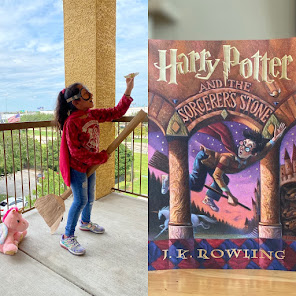
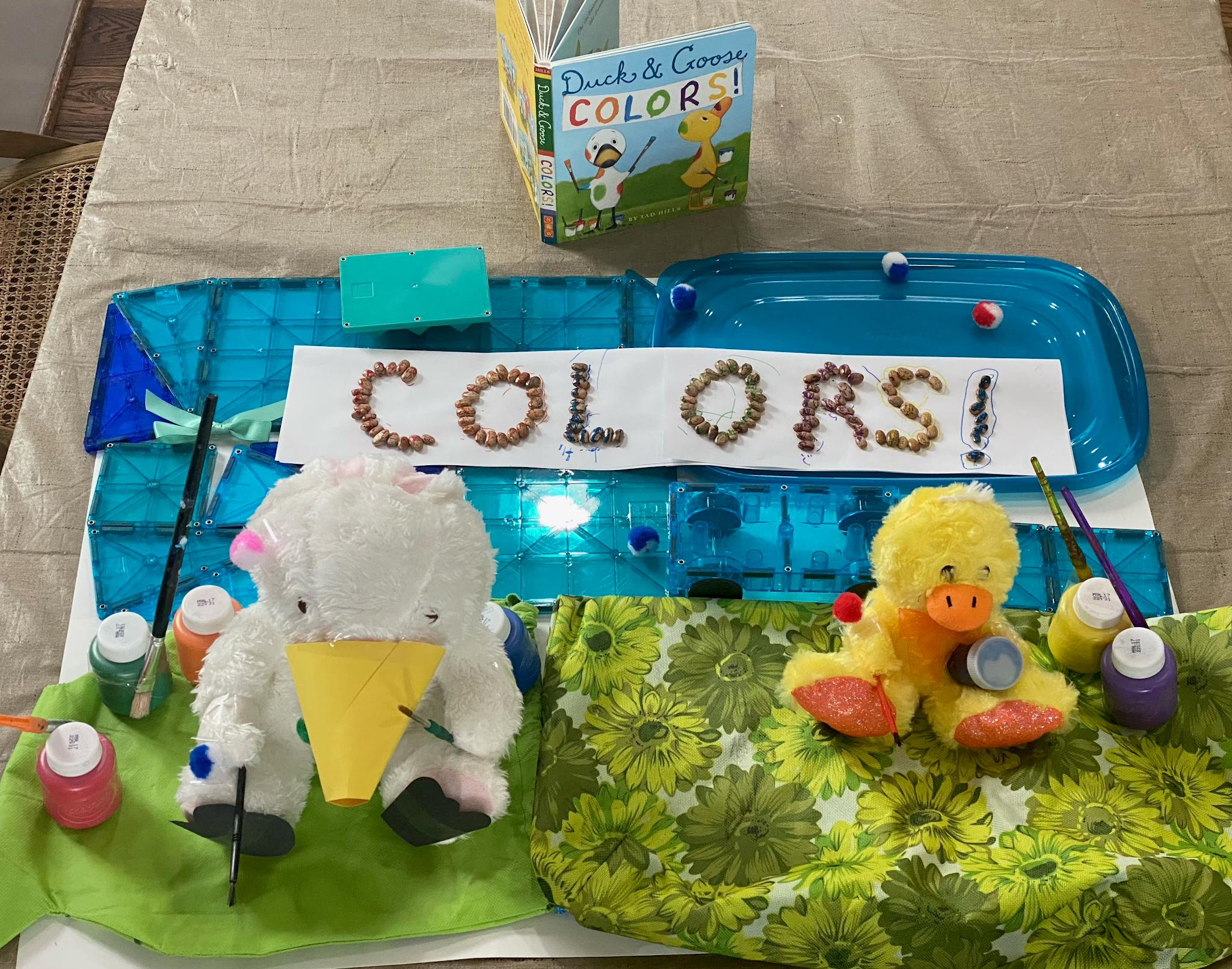
The "unplugged" activity was the same for everyone, Kindergarten through 5th grade. The challenge was to use whatever materials they have around to build a 3 dimensional model of a favorite book cover. I showed the students a few examples, but again, they were encouraged to be as creative as possible. The only rule was no 2D products. I have gotten so many amazing projects back so far. This building project has proven to be a bit more of a popular choice than the coding project. I am not terribly surprised by this because when I told the classes in our meetings that they had a non-computer choice there were many looks of relief.

As I mentioned above, there is a reflection piece to these choices. The prompts vary by grade level a bit, but are all aimed at getting students to reflect on what they learned, the quality of their work, and to think about how they might improve their projects in a second iteration. One of my favorite prompts is the one that asks students to choose 3 adjectives to describe their work. Some responses I have enjoyed from a variety of students include "challenging", "surprising", "awesome", and "breakable".
We have a few weeks left of fully digital learning. Beyond that point there are many unknowns. But whatever may come, I have loved seeing the students' work, and I know that we will find a way to continue making together.
Saturday, July 18, 2020
Getting Unstuck 2020

I have long felt that the best professional development is teachers talking to other teachers. The Getting Unstuck experience is the best example of this kind of learning. Over the course of this 2 weeks I connected with many dozens of educators from around the world. I saw hundreds upon hundreds of inspiring Scratch projects. I learned new ways to use Scratch, explored elements of the language I am unfamiliar with, and collected inspirations for student projects to last me many years.
Wednesday, February 5, 2020
Digital Dioramas and Skype-a-Scientist
The students began by selecting an animal to research using the National Geographic Kids page about different species of animals. I let them explore an bit before choosing and starting to take notes in their journals. They also selected partners for this project. I provided the students with a list of facts that they needed to read for and record in their notes, but also encouraged them to include any information that they found especially interesting. Required information included what their animal eats, where it is found, and what threats it faces. We discussed how threats may be natural (predators) or human-caused (habitat loss/ poaching). Finally, they drew a picture of their chosen animal and its habitat in their journals.
Next, the teams worked together to create detailed drawings of their subject animal, its food, and its habitats. They cut out their pictures and practiced animating how they would move around in a Scratch Jr. project. Students used the camera function to photograph the pictures they drew of the habitats as backgrounds. They also added photos of their animal drawings as well as drawings of what it eats and the threats it faces.
Finally, the students programmed their hand-drawn characters to move around and to share facts they gathered through their research. This process was a great opportunity for me to teach the students about a number of different computer science concepts. They are already familiar with the primary event block in the Scratch Jr language, the Green Flag. This event is a general purpose "go" to all of the characters students have added to their programs. However, most of the teams discovered that the Green Flag event has its limitations because it makes everything move at once. When they wanted different characters to move and speak at different times I showed them the messaging events. When they wanted a prey animal to disappear after being eaten, I was able to show them the uses of the "when characters touch" event which is the beginning of understanding conditionals. 
Another element of this unit that I personally find super exciting is our video chat with a scientist. This is facilitated by Skype-a-Scientist, a program that matches classrooms with scientists working in a variety of fields. Skype-a-Scientist connects teachers and scientists and they coordinate the scheduling of a video call. This program lets students see and engage with "actual living scientists" who were once sitting in a classroom as they are now. Each class gets to speak to a different scientist with a different area of study, so each conversation is unique. The first group spoke with a conservation biologist in Seattle, and the second group will be speaking with a geologist from the UK. Skype-a-Scientist is a non-profit run by Dr. Sarah McAnulty. I am proud to support this program with a monthly donation, and I would encourage our Sinclair Elementary families, and anyone else who cares about supporting science education to do the same at patreon.com. Tuesday, May 8, 2018
Stepping up to Scratch
Sunday, April 8, 2018
The Youngest Programmers
The first post of a grading cycle usually ends up being about one of the upper grades. I'm not sure why, but it is what I have noticed after a short browse through my older posts. So for the final grading cycle of this most peculiar year, I will start with the early grades and work my way up to the 5th graders who will soon leave us for the exotic lands of middle school.I wanted to finish up the year by introducing the kindergartners to Scratch Jr. and to start training the 1st graders to plan their digital projects before diving into the programming. Scratch Jr. a programming environment like Scratch, which the older students use, but it is suitable for pre-readers and beginning readers. It is an excellent introduction to creative coding for young learners and sets them up to begin working in the full version of Scratch (which is what the 2nd grade is doing this cycle.)
Before I do anything with kindergarten, I give them a day to explore Scratch Jr. I give them a brief introduction to the blocks (which they are familiar with from code.org) and the drawing tools and then set them free. It is awesome to see the excitement as they make discoveries and share them with each other. The unit activities start with a BrainPop Jr. movie about a particular topic. I start with parts of a plant because that is one of the topics they are working on in their classrooms this time of year. After watching the movie we make a digital anchor chart to review and to reference later. Then I guide the students through the making of a 4 flap foldable version of the anchor chart so they each have the experience of making their own plant model. The next day we start by reviewing the anchor chart and how to draw characters before I show them how to use the "when character touched" event block to make the characters do things. In the case of plant parts, I have them draw each plant part as a character and then program each one to say what it is when it is touched.The rest of the lessons follow a similar pattern. The second topic is the seasons which I use to give them practice using the "switch background" block. They use the "when touched" block again, but add the "switch background" command so that the scene changed to the next season after the character names the current one. From there I change the topic for each class for the sake of variety and to see how the students represent different concepts digitally. I have used (or will in the coming weeks) states of matter, habitats, and weather. The students transfer their learning from Code.org to Scratch Jr. so quickly and are so excited to discover all they are able to do.
Most of the first graders have not done much with Scratch Jr. this year, so I start this unit with a pretty open ended assignment, though not a free explore like kindergarten. We watch the BrainPop Jr. movie about ancient Egypt and talk about some of the things they learned. I then give student pairs an Ipad with the instructions to make a Scratch Jr. project about ancient Egypt. The only requirement, aside from the topic, is that the characters have to say what is going on in their scene. Obviously there are a lot of pyramids, but it is interesting to see them draw hieroglyphics, people fishing in the Nile, and mummies. I leave a few minutes at the end of the class for them to share with the other groups which they always enjoy. The next day, I show how I would plan a Scratch Jr. project on paper. I draw a background and characters, then I add what the characters will say about the topic. We watch another BrainPop Jr. movie (insects, fish, rain forests, or something) and then the students go to the tables to plan a project about the topic. They have to detail the backgrounds and characters as well as what will be said by each. As they work I move around and talk to them about their plans and what code they will need. Once the plans are complete, the students begin working in Scratch Jr. to bring their plans to life. Again, sharing and collaboration is key to success. We move from there to a compare and contrast project based on animals or habitats usually which requires them to plan 2 backgrounds worth of characters and information. The final project deals with even more steps and a topic like life cycles of plants or animals. A project that complex requires them to use all of the programming skills they have developed and so far they have done some amazing work.Sunday, May 21, 2017
Made with Scratch, and with Scratch Jr.
During the first week of the unit I had students work through the built in tutorial lessons found in Scratch. After a brief introduction to the user interface, drawing their attention to the various palettes and drawing tools, I set them to work on the "Animate your name" lesson. Students worked in partner groups as pair programmers, taking turns as drivers and navigators. This partner work helps by lending each project 2 sets of eyes to read the directions and to watch for mistakes. Over the next few days, the students made a number of different games that employed a variety of programming techniques including different kinds of loops and conditional statements.
The second week began with an introduction to using broadcasts to control the flow and action in the programs. I started with a whole group example program using a knock knock joke. In the program the sprites each say their portion of the joke at the appropriate time. This is accomplished by coding each statement the sprites say as separate script, each initiated by a broadcast. The first task I set the groups was to program a simple conversation. Many elected to copy the knock knock format, but others decided to try to create an original conversation. Keeping their broadcasts in order proved challenging to many students. As the conversations grew in length and complexity (thanks to the addition of more sprites), the number of broadcasts also grew. They worked on programming conversations and stories all week. There was some frustration when all of the sprites started talking over each other. However, there was a lot of excellent debugging practice as well. By the end of the week, most groups had succeeded in creating a story with conversations, movements, and scene changes. No two stories were alike, which is the most wonderful thing about Scratch, the amount of creative freedom students can have while still working on the same assignment.
As I had done with second grade, I also taught Scratch Jr. lessons to the kindergarten and first graders. The focus was on using the various tools and giving the students time to explore and experiment. During this final unit, I wanted to begin to teach them how to use Scratch Jr. to show what they have learned about a topic similar to what the 3rd and 4th graders have been doing. So each day we started by watching a Brain Pop Jr. movie about a different topic; parts of a plant, frog life cycles, the seasons, etc. and made some kind of illustrated foldable paper display for the information gathered. The next class, after reviewing the previous day's topic, student pairs then worked in Scratch Jr. to create a program that shared what they knew about that subject. I offered some guidance about getting started for each topic, but most of the creative choices were left to the students. They had to learn about drawing their own sprites and backgrounds. They also had to master the Scratch Jr. version of broadcasts to initiate scene changes and sprite conversations. The most truly wonderful part of watching the students work on their programs was the moment each day when a student made a discovery and called to his or her neighbor and said, "Look at this!". The neighbor would inevitably ask, "How did you do that?" at which point the first student would teach what they had learned. In this way, discoveries spread across the room from all directions like ripples in a pond.
In the end, I am so proud of the amazing work these young coders have done and I am so excited to see where they will take this learning next year.